Google Ads GDPR Settings: Complete Configuration Guide for 2026
Every Google Ads GDPR setting for EEA, UK and Swiss traffic: consent mode v2, Diagnostics and Tag Assistant checks, data terms, enhanced conversions, Customer Match and Analytics links.
Team AdverizeoUpdated 12 min read
On this page
- 1. What Google's EU user consent policy asks of advertisers
- 2. Consent mode v2: the four parameters
- Basic or advanced
- 3. How to verify consent signals
- Tag Assistant
- Diagnostics in Google Ads
- 4. Data processing terms: who is controller of what
- 5. Enhanced conversions
- 6. Customer Match
- 7. Remarketing segments and retention
- 8. Google Analytics links and data sharing
- 9. Settings table
- Common mistakes
- Checklist
- Where Adverizeo fits
Google Ads GDPR settings decide whether your account can keep using conversion tracking, remarketing and personalised ads for visitors from the European Economic Area, the UK and Switzerland. Getting them right takes three things: a banner that blocks or adjusts Google's tags, consent mode signals that reach Google correctly, and account settings that match what you told visitors. This walkthrough covers each setting as of October 2026, with the menu paths Google documents and checks you can run yourself.
1. What Google's EU user consent policy asks of advertisers
Google's EU user consent policy applies through your agreement with Google and covers end users in the EEA, the UK and Switzerland. On every site or app you control, you must:
- obtain legally valid consent for cookies or other local storage where the law requires it, and for collecting, sharing and using personal data to personalise ads;
- keep records of consent. Google's help page says this means the text and choices shown, plus the date and time of consent;
- explain clearly how to withdraw consent;
- name each party that may collect or use the data, and link to Google's Business Data Responsibility site (business.safety.google/privacy) from the banner or your privacy policy.
Google audits sites by visiting them as a user would. Advertisers who do not fix problems within a reasonable time risk action on the account, including suspension of audience features such as ad personalisation.
One distinction matters for multi-country accounts. Google expects verified consent signals, through consent mode or the IAB Transparency and Consent Framework (TCF), for EEA traffic. Its policy help page says it does not expect advertisers to send a verified signal for UK or Swiss traffic. That is about signals, not the law: you still need consent wherever national cookie rules require it.
2. Consent mode v2: the four parameters
Consent mode is how your banner tells the Google tag (gtag.js or Google Tag Manager) what each visitor chose. Version 2 added ad_user_data and ad_personalization to the storage parameters. Per Google's consent mode reference:
| Parameter | What it controls | When denied |
|---|---|---|
ad_storage | Advertising cookies and similar storage | No ad cookies written or read; IP addresses truncated at collection |
ad_user_data | Sending advertising-related user data to Google | Personal data not used for online advertising, including user-provided data; conversion pings sent as cookieless pings |
ad_personalization | Personalised advertising | Remarketing and other personalised ad features off for that visitor |
analytics_storage | Analytics cookies | No analytics cookies; cookieless pings sent instead |
Basic or advanced
In basic mode, Google tags do not load until the visitor interacts with the banner, and nothing reaches Google before that. In advanced mode, tags load straight away with consent defaulted to denied and send cookieless pings while it stays denied: consent-state, key-event and Analytics pings with limited technical information such as a timestamp, user agent and referrer. Google uses them for an advertiser-specific conversion model; basic mode only feeds a general model.
Google warns that blocking tags until the banner is used means it cannot verify consent choices. That is a measurement trade-off. Whether pings before consent are acceptable under your national cookie rules is a legal question, which we explain in server-side tracking and GDPR: what consent still covers. Decide with whoever owns data protection, and write down the reason.
In the tag, the default command should set all four parameters to denied before any tag fires; its region option targets specific countries. wait_for_update gives an asynchronous banner a set number of milliseconds to report the choice. url_passthrough and ads_data_redaction adjust how ad-click data is handled when ad_storage is denied. Most consent platforms set these once consent mode is switched on; check what they actually send.
3. How to verify consent signals
A banner that looks right proves nothing. Run two checks after every change to your banner, tags or site.
Tag Assistant
- Open Tag Assistant, enter your site URL and connect.
- Select the earliest Consent event. In the Consent tab's On-page Default column, confirm all four parameters are set, and denied for EEA visitors.
- Accept on the banner, select the latest Consent event and confirm the On-page Update column shows them granted.
- Check the Tags tab for which tags fired or were blocked.
- Repeat in a fresh session, rejecting. The ad parameters should stay denied, with no ad cookies in your browser's storage panel.
Google's consent mode debugging guide shows the same screens.
Diagnostics in Google Ads
Open Goals > Conversions > Summary, select a website conversion action and open the Diagnostics tab. The status reads either "Consent mode is implemented" or "Consent mode is implemented and modeling is active". It can take 48 hours to appear, and up to two weeks. Modelling needs 700 ad clicks over 7 days per country and domain grouping, so a small account in one EU market may never get past the first status. That is not an error.
4. Data processing terms: who is controller of what
Most of Google Ads runs under the Google Controller-Controller Data Protection Terms (version 11, last modified 7 May 2026): you and Google are independent controllers, each deciding your own purposes. Google's service list names Customer Match, Store sales (uploads) and enhanced conversions as Google Ads processor services under the Google Ads Data Processing Terms, where you are the controller and Google processes for you.
The Data Processing Terms (version 8.0, last modified 30 May 2024) apply once accepted, which in Google Ads happens when you accept the customer data terms, for example for enhanced conversions. You can object to a new subprocessor only by terminating the agreement within 90 days of notice. For US transfers, Google relies on the EU-U.S. Data Privacy Framework for EEA data since 1 September 2023, on the UK Extension and Swiss-U.S. framework in certain circumstances since 16 September 2024, and otherwise on Standard Contractual Clauses.
The terms are not the whole picture: EU case law can make you a joint controller for collection on your own site. See GDPR retargeting: what EU advertisers need in place and our guide to data processing agreements for marketers.
5. Enhanced conversions
Enhanced conversions send hashed first-party data, such as an email address, with a conversion so Google can match it to an ad click. The data is normalised and hashed with SHA-256. Hashing is pseudonymisation, so it remains personal data.
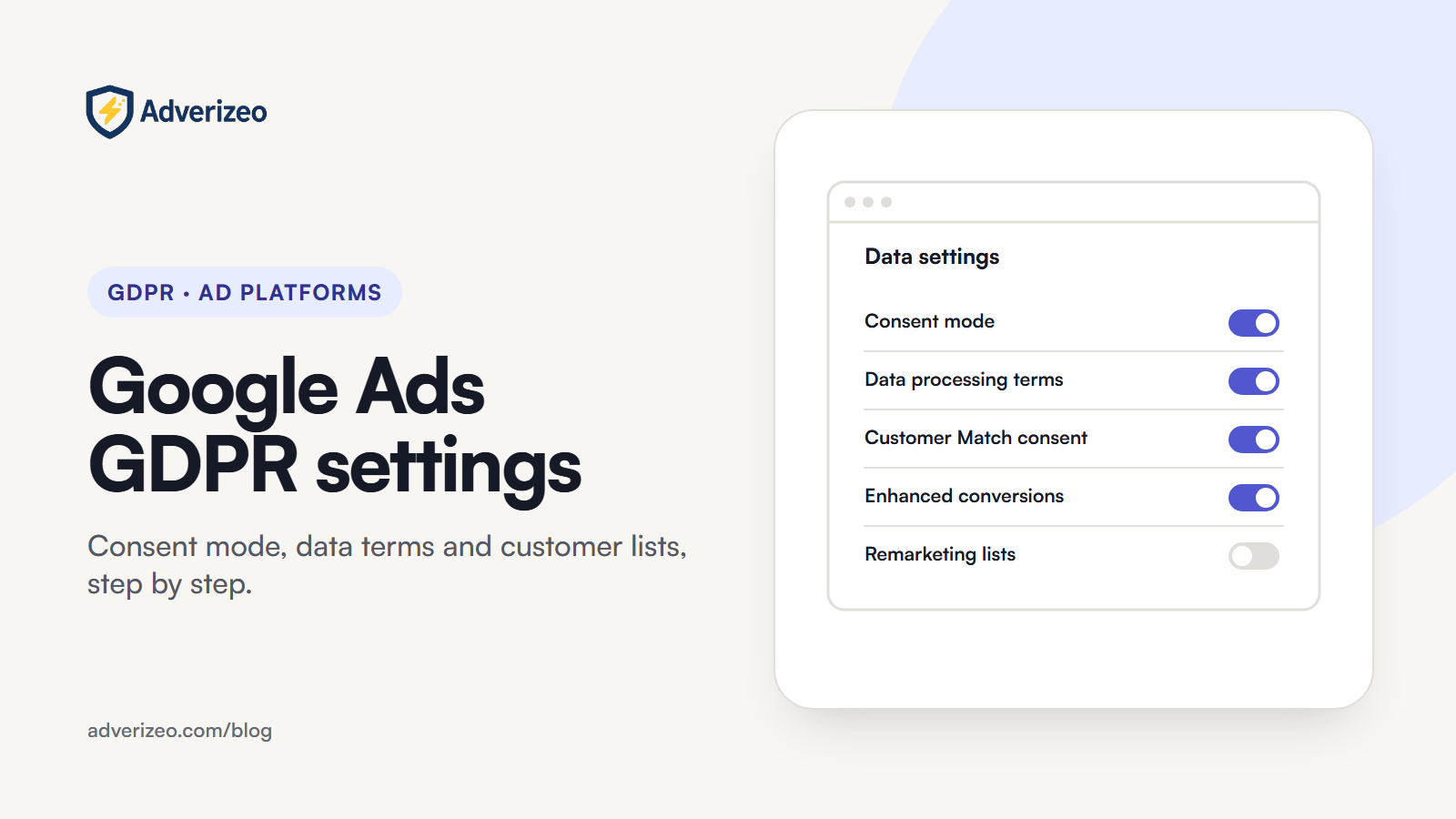
Google says that from April 2026 it accepts user-provided data from tags, Data Manager and the API at the same time, and from June 2026 enhanced conversions for web and for leads are one feature with one switch. Go to Goals > Settings, expand Customer data use, tick "Turn on enhanced conversions" and agree, confirming the Google Ads Data Processing Terms apply.
The same panel offers "Turn on conversion-based customer lists", which builds Customer Match audiences from your enhanced conversions data, one list per conversion goal. That turns measurement data into targeting data, so tick it only if your notice and consent cover advertising to existing customers. It also sits under Admin > Account settings > Customer match.
Google's customer data policies add two limits: conversions related to sensitive categories, such as health or negative financial status, cannot be used in enhanced conversions, and you must not send data you know relates to children under 13.
6. Customer Match
Customer Match targets people from your own customer data, and you are the controller of the list. Google's Customer Match policy requires a good compliance and payment history, first-party data only, a privacy policy saying you share customer data with third parties, consent for that sharing where the law requires it, and compliance with the EU user consent policy. Data on anyone under 13 is prohibited.
For EEA users, API and partner uploads need both ad_user_data and ad_personalization set to granted. Missing values count as not consented and are not processed; a denied value returns an error. In the interface, go to Tools > Audience manager, select the plus button, then Customer list. You tick a box confirming the data was collected and shared in line with Google's Customer Match policies and set a membership duration of up to 540 days. Plain-text files are hashed on your computer before upload, and Google recommends Data Manager over manual file uploads. Which legal basis covers a list is covered in our retargeting guide.
7. Remarketing segments and retention
Website data segments only fill from visitors whose ad_personalization state allows it, so a correct setup makes EEA segments smaller. That is expected. You control how long people stay: the default membership duration for Search and Display segments is 30 days, the maximum 540. Choose a duration you can justify per segment and mention retention in your privacy notice. YouTube viewer segments have their own rules, covered in our YouTube ads GDPR guide.
8. Google Analytics links and data sharing
Linked Analytics data flows into Google Ads and becomes subject to the Google Ads terms. Link under Tools > Data manager in Google Ads, or Admin > Product links > Google Ads links in Analytics. The link's "Enable personalized advertising" option is on by default, so decide whether you want it.
Google is consolidating these controls. From 15 June 2026, Analytics uses consent mode as the single control for data, and Google signals only governs linking Analytics data with signed-in user information for behavioural reporting. Google has said that later in 2026 the ad_personalization state will be the only control over whether linked Analytics data personalises ads, and that IP addresses collected by the Google tag and SDK will be encrypted and passed to the linked Ads account, with exact dates still to be announced. Your consent mode setup now matters more than any toggle in Analytics.
While there, review the Analytics data sharing settings (Admin > Account details): Google products and services, modelling contributions and business insights, technical support, and recommendations for your business. Turn off anything your privacy notice does not cover. In a standard property, event data retention can be 2 or 14 months; it affects explorations and funnel reports, not standard reports.
9. Settings table
| Setting | Where to find it | What to set for EEA, UK and Swiss traffic |
|---|---|---|
| Consent defaults | Consent platform or tag manager | All four parameters denied until the visitor chooses |
| Consent mode status | Goals > Conversions > Summary > conversion action > Diagnostics | "Consent mode is implemented" at minimum |
| Enhanced conversions | Goals > Settings > Customer data use | On only if your privacy notice covers it |
| Conversion-based customer lists | Customer data use panel, or Admin > Account settings > Customer match | Off unless consent covers ads to existing customers |
| Customer Match uploads | Tools > Audience manager > plus button > Customer list, or Data Manager | Both consent fields granted for EEA users; under 540 days where you can |
| Data segment duration | Tools > Audience manager, edit the segment | A documented duration per segment |
| Analytics link | Tools > Data manager, or GA Admin > Product links | Personalised advertising only where ad_personalization is passed |
| Analytics data sharing | GA Admin > Account details | Only what your privacy notice discloses |
Common mistakes
- Banner without consent mode. The banner records a choice, but tags fire regardless or never receive the signal.
- Defaults set after the first tag. The first hit goes out before consent is known. Tag Assistant's earliest Consent event shows this.
- Reading "Consent mode is implemented" as compliance. It shows Google receives signals, not that your banner is lawful.
- Uploading lists without consent fields. EEA rows are not processed.
- Ticking every box in Customer data use without checking the privacy notice.
- Using restricted data processing as the EU fix. Google built it for US state privacy laws.
Checklist
- Confirm the banner blocks or adjusts all Google tags until a choice, with rejecting as easy as accepting.
- In Tag Assistant, check all four parameters default to denied and update correctly on accept and reject.
- Check the Diagnostics status for each main conversion action.
- Record your choice of basic or advanced consent mode, and why.
- Make sure consent records hold the banner text, choices, date and time, and that the Business Data Responsibility link is present.
- Set enhanced conversions and conversion-based customer lists on or off on purpose.
- Confirm Customer Match uploads send both consent fields for EEA users.
- Give every segment and customer list a documented duration.
- Review the Analytics link and data sharing settings, and file both sets of Google terms in your record of processing.
For the wider framework, see the complete guide to GDPR-compliant marketing for European SMEs, the cookie consent implementation guide and, for what consent mode does to Smart Bidding, our guide to Google Ads automation.
Where Adverizeo fits
These settings live in your consent platform and Google Ads account, not in Adverizeo. Adverizeo works on the ads: Google Ads Pro writes a complete responsive search ad with 15 headlines and 4 descriptions, and every text ad gets a compliance score from 0 to 100 with suggestions, as a risk check rather than a legal guarantee. Test existing copy with the free GDPR ad checker, read how the checks work on our GDPR page, or start free.
This article is general information, not legal advice.
Frequently asked questions
Do I need consent mode for campaigns that only target the UK or Switzerland?
Google's EU user consent policy help page says it does not expect advertisers to send a verified consent signal for UK or Swiss traffic. The policy still requires legally valid consent where the law requires it. In the UK, the ICO says storage and access technologies used for online advertising need consent, including for measuring how well campaigns work, and none of the exceptions, including those for statistics and website appearance, apply to advertising. Applying the same consent mode setup to all three regions is often the simplest option.
Does restricted data processing make EU campaigns compliant?
No. Google describes restricted data processing in Google Ads as a tool for US state privacy laws, such as California's. For EEA traffic, what Google checks is that you collect consent and send consent signals through consent mode or the IAB TCF.
What does Google's IP-based measurement from August 2026 mean for my account?
Google's EU user consent policy help page says that from August 2026 Google is launching IP-based ads measurement and ads personalisation in the EEA, the UK and Switzerland, using IP addresses it receives through tags, SDKs and uploads. Make sure your banner and privacy notice describe advertising measurement and personalisation broadly enough to cover this. When ad_storage is denied, Google truncates IP addresses at collection.
Do advertisers have to use a Google-certified consent management platform?
No. The requirement to use a Google-certified CMP integrated with the IAB TCF applies to publishers using AdSense, Ad Manager or AdMob: from 16 January 2024 for the EEA and UK, and from 31 July 2024 for Switzerland. As a Google Ads advertiser you can use any banner, as long as it collects valid consent and passes the choice to Google through consent mode or the TCF.
What should I do with remarketing segments built before consent mode worked?
If you cannot show that the people in an older segment consented, the cleanest option is to stop targeting it, let it expire, and build a new segment from consented traffic. Then set a membership duration you can justify for the new one.