GDPR Cookie Consent: A Practical Guide for European SMEs in 2026
GDPR cookie consent for European SMEs: what makes consent valid, what regulators say about reject buttons, cookie walls and records, and a banner checklist you can use.
Team AdverizeoUpdated 11 min read
On this page
- What needs consent
- What makes consent valid
- "Reject all" on the first layer: what regulators say
- Cookie walls and "consent or pay"
- Consent records and re-consent
- How consent reaches your ad tags
- Banner checklist
- Six checks to run on your own site
- Common mistakes
- What it does to your marketing numbers
- What may change
- Where Adverizeo fits
A cookie banner either annoys every visitor with a wall of toggles or quietly tracks people before they have said yes. It does not have to do either. This guide to GDPR cookie consent for European SMEs covers what needs consent, what makes consent valid, what regulators say about the "reject all" button, cookie walls and consent records, and how the choice has to reach your Google, Meta and TikTok tags. It ends with a banner checklist and six checks you can run on your own site in under an hour. For consent management platforms and the wider implementation, read our cookie consent implementation guide.
What needs consent
Under Article 5(3) of the ePrivacy Directive, storing or reading information on a visitor's device needs consent that meets the GDPR standard, whether or not the cookie holds personal data, unless it is strictly necessary for the service the visitor asked for, or needed only to transmit a communication.
- No consent needed: strictly necessary cookies, such as a shopping cart, a login session or security features, and cookies that only remember the visitor's cookie choice.
- Consent needed: advertising and retargeting pixels (Meta, LinkedIn, TikTok, Google Ads), A/B testing and personalisation tools that are not strictly necessary, and third-party embeds that set their own cookies, such as video players and chat widgets.
- Analytics: usually needs consent. Some regulators allow narrow exceptions. France's CNIL, for example, exempts audience measurement used only for the site's own statistics, producing anonymous data, not combined with other processing or shared with third parties in identifiable form, with cookies limited to about 13 months and data kept for at most 25 months, and with visitors informed and able to object. Check your tool against your own regulator's conditions before skipping consent for it.
National rules sit on top of this. Germany, for example, implements Article 5(3) through section 25 of the TDDDG, and each country's regulator publishes its own guidance.
What makes consent valid
Consent under the GDPR must be freely given, specific, informed and unambiguous. For cookies, four sources set the bar.
Planet49 (CJEU, 1 October 2019, C-673/17). A pre-ticked checkbox that the visitor must untick to refuse is not valid consent. This holds whether or not the cookie data is personal data. Consent must be specific, so ticking a box to join a promotion does not count as consent to cookies. And the information you give must include how long cookies operate and whether third parties can access them.
EDPB Guidelines 05/2020 on consent (4 May 2020). Scrolling or swiping through a page is never a clear affirmative action, under any circumstances. Access to a service must not depend on accepting cookies; the EDPB's example of a script that hides content until "Accept cookies" is clicked fails because there is no genuine choice. Withdrawing consent must be as easy as giving it (Article 7(3) GDPR): if consent took one click, withdrawal should too.
EDPB Guidelines 03/2022 on deceptive design patterns (version 2.0, 14 February 2023). They were written for social media interfaces, but the six categories are a useful lens for any banner: overloading (too many requests or options), skipping (defaults that nudge towards sharing), stirring (emotional wording or hiding the privacy option in plain sight), obstructing (dead ends, extra steps, misleading actions), fickle (inconsistent design or language) and left in the dark (conflicting or ambiguous information).
EDPB Cookie Banner Taskforce report (18 January 2023). National regulators agreed that pre-ticked boxes are invalid on any layer, that a "refuse" link buried in body text without visual support does not give valid consent, that text so low-contrast it is unreadable is manifestly misleading, that legitimate interest cannot be the legal basis for placing or reading cookies, that cookies labelled "essential" must really be strictly necessary, and that withdrawal must stay easily accessible after consent, for example through a permanent icon or a link in a visible, standard place.
"Reject all" on the first layer: what regulators say
The Taskforce report found that a vast majority of authorities consider a banner with a consent button but no reject option on that same layer an infringement. National guidance adds detail, and some of it differs.
| Regulator | Reject on the first layer | How long to keep the choice |
|---|---|---|
| CNIL (France), recommendation of 17 September 2020, consolidated January 2026 | Refusing must be as easy as accepting, on the same screen. Two buttons at the same level and in the same format, such as "accept all" and "refuse all", are the example it gives. | Keeping both consent and refusal for 6 months is good practice. |
| AEPD (Spain), cookie guide of July 2023 | The first layer needs a reject button or equivalent mechanism similar to the accept one. | Consent valid for no longer than 24 months is good practice, with the choice remembered meanwhile. |
| Garante (Italy), guidelines of 10 June 2021 | Closing the banner with an X in the top right must keep the default settings, so no non-technical cookies. | After a refusal, do not show the banner again for at least 6 months, unless conditions change or the visitor clears cookies. |
| DSK (Germany), OH Digitale Dienste version 1.2, November 2024 | Required when visitors must interact with the banner to use the site, which the DSK says is very often the case. Possibly not needed if the banner blocks nothing, including on small screens. | No fixed period; any change in cookies or third-party services means asking again. |
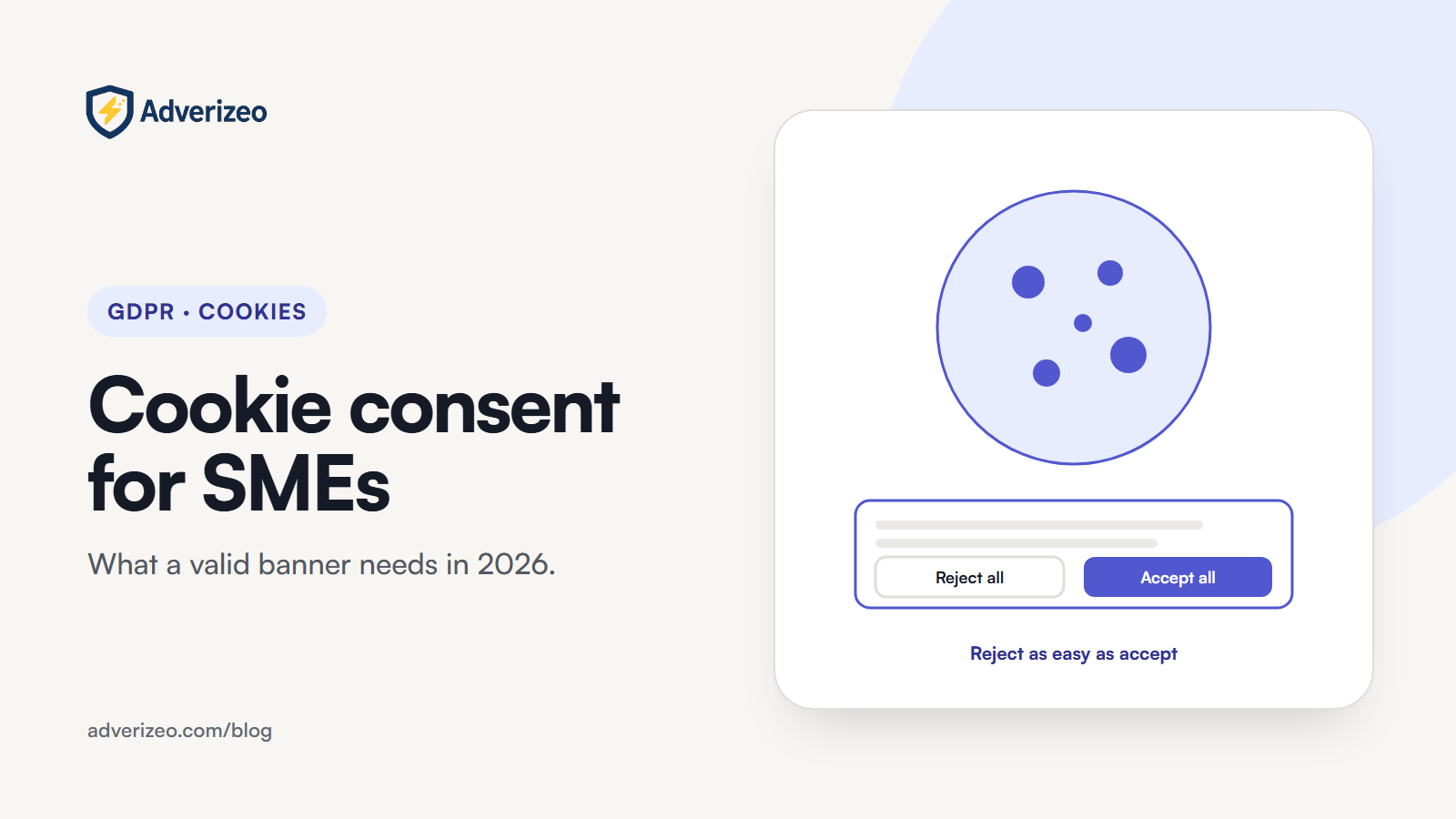
The safe design for an SME selling across the EU is simple: "Accept all" and "Reject all" side by side, same size, same style, on the first layer, with "Settings" as a third option.
Cookie walls and "consent or pay"
A cookie wall blocks the site until the visitor accepts. The EDPB's consent guidelines treat that as consent that is not freely given. National positions vary at the edges: the CNIL assesses cookie walls case by case, the Garante considers them unlawful unless the visitor gets equivalent access without tracking, and the AEPD accepts refusing access only where a genuinely equivalent alternative without cookies is offered. For large online platforms, EDPB Opinion 08/2024 (17 April 2024) says a plain choice between consenting to behavioural advertising and paying a fee will generally not give valid consent, and such platforms should consider also offering a free option without behavioural advertising. For an SME, the practical answer is not to build a wall.
Consent records and re-consent
Article 7(1) GDPR puts the burden of proof on you. The EDPB says you could keep information on the session in which consent was given, documentation of the consent workflow at the time and a copy of the information shown, and that simply pointing to a correct website configuration is not enough. Google's EU user consent policy help asks, at a minimum, for the text and choices presented and the date and time of the affirmative consent. The CNIL suggests timestamped screenshots of each banner version, a published hash of the consent code, and a dated history of your consent tool's configuration.
- Log each choice: consent ID, timestamp, banner version, categories accepted or refused.
- Keep each banner version and its texts, with dates.
- Keep proof while the processing runs, then no longer than needed for legal claims.
- Ask again when you add a new purpose or vendor; the EDPB says consent no longer covers processing that changes considerably.
The GDPR sets no fixed lifetime for consent. The EDPB recommends refreshing it at appropriate intervals, and the table above shows how far national practice ranges, from 6 months in France to 24 months in Spain.
How consent reaches your ad tags
A banner that records "reject" while your tags keep firing protects nobody. Each platform has its own switch.
Google Consent Mode. Set a default state with gtag('consent', 'default', ...) on every page before any tag sends data, then call gtag('consent', 'update', ...) as soon as the visitor chooses. The four main consent types are ad_storage, ad_user_data, ad_personalization and analytics_storage; the region parameter lets you set denied defaults for EEA visitors. Google requires consent and consent signals for EEA traffic to keep its measurement, ad personalisation and remarketing features. In the basic version, tags wait for the banner; in the advanced version, they load at once and send cookieless pings while consent is denied. Our Google Ads GDPR settings article covers the setup.
Meta Pixel. Meta's consent API pauses the pixel: call fbq('consent', 'revoke') before init, on every page, and fbq('consent', 'grant') once the visitor accepts.
TikTok Pixel. TikTok requires advertisers to give notice and obtain consent where the law requires it, and to stop cookies being set and used when a visitor declines, using a tag manager, a consent management platform or TikTok's own pixel consent mode.
Moving tags to a server does not remove the need for consent; see server-side tracking and GDPR.
Banner checklist
| Element | What good looks like |
|---|---|
| First layer | "Accept all" and "Reject all" side by side, equal size, colour weight and wording clarity; "Settings" as a third option |
| Information | Purposes, who sets cookies (including third parties), how long they last, link to the full cookie policy |
| Second layer | Toggles per purpose, all off by default, with a save button |
| Before a choice | No ad or analytics requests; Consent Mode default set to denied |
| Closing the banner | If there is an X, it means no consent |
| Withdrawal | Footer link or permanent icon that reopens the settings on every page |
| Records | Consent log with timestamp and banner version; archived banner texts |
| Re-asking | Not on every visit; on a fixed interval and whenever purposes or vendors change |
Six checks to run on your own site
- Nothing fires before a choice is made. Open your site in a private window with the browser's developer tools on the Network tab, and do not touch the banner. No request should go to an ad or analytics domain until you click.
- Rejecting is as easy as accepting. Count the clicks for each. If rejecting takes more, fix the first layer.
- Changing your mind works. Accept everything, use your cookie settings link to switch to reject, reload, and repeat check 1. Trackers that keep firing mean withdrawal is not wired up.
- Consent is on record. Accept cookies on your own site, then find that consent in your consent tool's log.
- Your cookie policy matches the site. Compare the tools listed in your cookie policy with the domains from check 1 after you accept. A pixel a campaign manager added last month is the typical mismatch.
- Google's tags see the choice. Use Google Tag Assistant to confirm the consent state reads denied before any choice and changes after it.
Common mistakes
- Tags that fire on page load, before the visitor touches the banner. In September 2025 the CNIL fined SHEIN's Irish subsidiary 150 million euros after finding cookies placed as soon as visitors arrived, cookies still placed and read after "reject", and missing information about advertising purposes and third parties.
- A "reject" link styled as small grey text while "accept" is a bright button.
- Marketing cookies listed as "essential", or "legitimate interest" toggles switched on by default in the second layer.
- Re-showing the banner on every visit after a refusal until the visitor gives in.
- Adding a new pixel or vendor without updating the banner, the cookie policy and the consent request.
- Relying on the consent tool's default configuration and never testing what actually fires.
What it does to your marketing numbers
A banner that makes refusing genuinely easy will lower the share of visitors you can track, so attribution, retargeting audiences and conversion counts will look smaller than before. That is not a tracking bug. Agree with your team and clients up front that EU reporting will cover consenting visitors only, and judge campaigns against that baseline. Our article on GDPR retargeting covers what you can still do with smaller audiences.
What may change
On 19 November 2025 the European Commission proposed, in its Digital Omnibus package, that cookie banners include a single-click button to refuse all cookies, that websites respect choices for at least six months, that browser-level privacy preferences be respected, and that low-risk uses such as counting visits no longer need a banner. As of October 2026 the proposal is still at first reading: Parliament's committees have not yet voted their report and no final text has been agreed, so the current rules above still apply. The direction matches what most regulators already expect.
For the bigger picture, see our complete guide to GDPR-compliant marketing for European SMEs.
Where Adverizeo fits
A cookie banner governs tracking; it says nothing about what your ads claim. Adverizeo gives every text ad a compliance score with suggestions, with country rules for EU locales, as a risk check rather than a legal guarantee. See how it works on our GDPR page, test copy with the free GDPR ad checker, or start on the free plan.
This article is general information, not legal advice.
Frequently asked questions
Do I need a 'reject all' button if my banner does not block the page?
In most EU countries, yes. The CNIL, the AEPD and the EDPB Cookie Banner Taskforce all expect refusing to be as easy as accepting on the first layer. Germany's DSK says a first-layer reject option may be unnecessary if the banner blocks nothing, including on small screens, but notes that common banner designs usually do require one.
Can I use legitimate interest instead of consent for advertising cookies?
No. The EDPB Cookie Banner Taskforce confirmed that legitimate interest cannot be the legal basis for placing or reading cookies that need consent under Article 5(3) of the ePrivacy Directive. If the cookie needs consent, consent is the only route.
How long should I keep consent records?
For as long as the processing based on that consent continues, so you can prove consent at any time. After the processing ends, the EDPB says proof should be kept no longer than strictly necessary for a legal obligation or for legal claims.
Does Google Consent Mode make tracking without consent lawful?
No. Consent Mode passes the visitor's choice to Google tags so they behave accordingly. When consent is denied, tags do not store advertising cookies; in the advanced version they still send cookieless pings for modelling. Whether that suits your situation is a question to check against your regulator's guidance, and it does not replace a valid banner.
Is analytics allowed without consent?
Usually not. A few regulators, such as France's CNIL, exempt audience measurement that meets strict conditions, for example statistics for the site's own use only, no combining with other data and limited cookie lifetime and retention. Outside those conditions, analytics cookies need consent.